
Download Torch Browser – Free Media‑Focused Chromium Browser
Overview
Torch Browser is a free, media‑centric web browser built on the proven Chromium codebase. If you have ever felt limited by the need to install multiple extensions just to grab a video, download a torrent, or stream music, Torch delivers those capabilities out‑of‑the‑box. Its interface mirrors the familiar Chrome layout—tabs, bookmarks bar, and settings—so users can transition instantly without a learning curve.
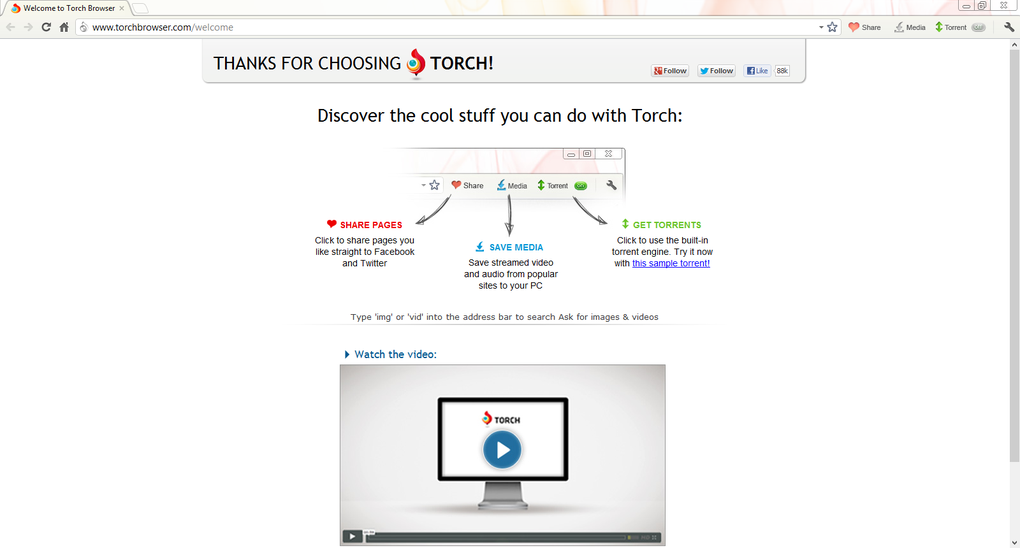
What truly differentiates Torch is its suite of integrated media tools: a one‑click Media Grabber that lights up whenever a video is detected, a built‑in torrent client that handles magnet links without leaving the browser, and Torch Player, a lightweight media player that supports virtually every audio and video format. In addition, the Torch Music side panel offers instant access to millions of tracks, letting you create playlists, save favorites, and share songs directly to social platforms. The built‑in Download Accelerator splits large files into smaller chunks for faster transfers, while the integrated social share button streamlines posting to Facebook and Twitter.
Although Torch does not support the full Chrome extension ecosystem, its native tools eliminate the need for third‑party add‑ons, providing a cleaner, more secure browsing experience for users who live in a media‑rich online world.
Key Features of Torch Browser
- One‑Click Media Grabber: Detects videos on any page and downloads them instantly without extra extensions.
- Torch Player: Plays downloaded audio and video files directly within the browser, supporting MP4, MP3, AVI, MKV, and more.
- Integrated Torrent Client: Handles magnet links and .torrent files natively, eliminating the need for a separate torrent application.
- Torch Music Panel: Access a vast library of songs, create playlists, and share music to social media from a sliding side panel.
- Download Accelerator: Splits large files into segments for faster, more reliable downloads.
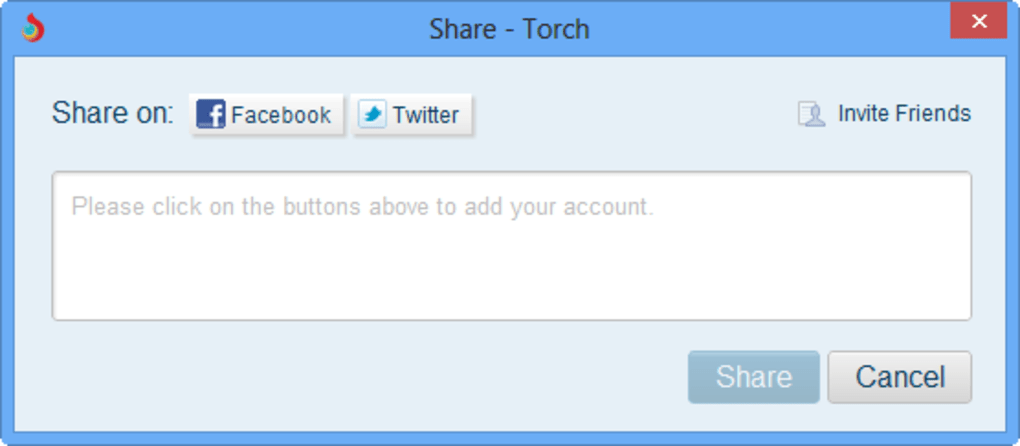
- Built‑In Social Sharing: Quick share buttons for Facebook, Twitter, and other platforms placed next to the address bar.
- Chromium‑Based Interface: Familiar layout, tab management, and security updates identical to Google Chrome.
- Ad‑Free Experience: No intrusive ads or pop‑ups; the browser focuses on media consumption.
Each of these features works together to create a streamlined workflow for anyone who spends a significant portion of their online time watching videos, listening to music, or managing downloads. By consolidating these utilities into a single application, Torch reduces the clutter of multiple programs and the security risks associated with third‑party extensions. The result is a fast, secure, and media‑ready browsing environment that feels both powerful and approachable.
Installation, Usage Guide & Compatibility
Getting started with Torch Browser is straightforward. Visit the official Torch website, click the “Download for Windows” button, and the installer (approximately 70 MB) will begin downloading. After the file finishes, run the executable and follow the on‑screen prompts: accept the license agreement, choose an installation folder (the default works for most users), and decide whether Torch should become your default browser. The setup process completes in under two minutes on a typical PC.
Once installed, launching Torch opens a Chrome‑like window. Navigate to any website containing video content, and you’ll notice the Media Grabber icon appearing in the address bar. Clicking this icon instantly starts the download, and the file is saved to your default “Downloads” folder unless you specify a custom location in Settings. For torrent files, simply click a magnet link; Torch will open its internal torrent manager, display progress, and allow you to pause or resume downloads at any time. The built‑in Torch Player can be accessed by right‑clicking a downloaded file or by selecting “Open with Torch Player” from the context menu.
Supported Operating Systems: Torch Browser is officially available for Windows 10/11 (64‑bit) and macOS 10.15 Catalina or later. While a mobile version is under development, the desktop application remains the primary platform for full media functionality. System requirements are modest: a dual‑core processor, 2 GB RAM, and at least 500 MB of free disk space for the application itself. For optimal performance, especially when using the Download Accelerator or handling large torrents, a stable broadband connection (minimum 5 Mbps) and at least 4 GB of RAM are recommended.
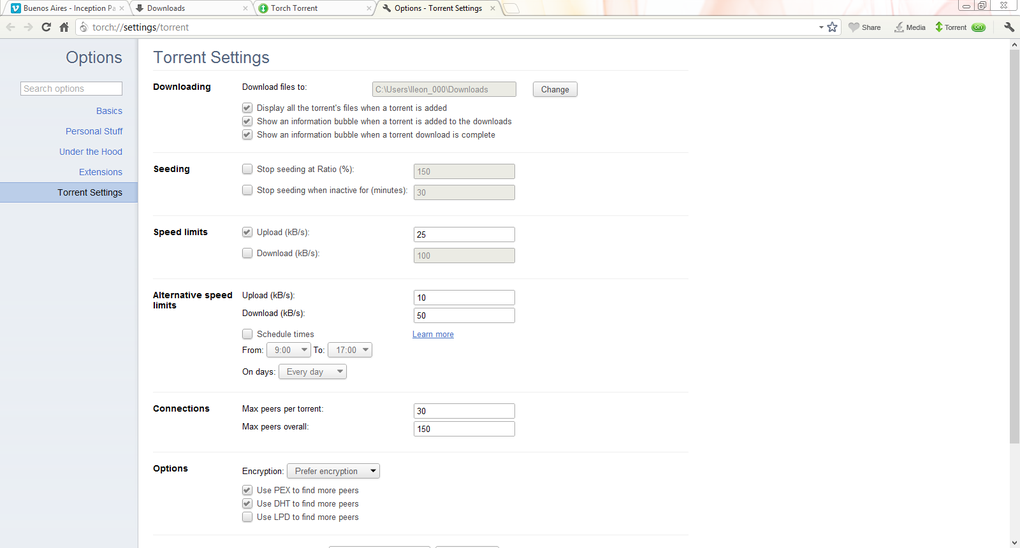
After installation, users can customize Torch through the Settings menu: adjust download locations, enable or disable the media grabber, configure proxy settings for torrent privacy, and manage notification preferences. The browser also inherits Chrome’s regular security updates, ensuring you stay protected against emerging threats without manual intervention.
Pros, Cons & Frequently Asked Questions
Pros
- All‑in‑one media tools eliminate the need for separate extensions or applications.
- Chromium base provides fast rendering, strong security, and regular updates.
- One‑click video downloading saves time and reduces browser clutter.
- Integrated torrent client offers seamless magnet link handling.
- Built‑in music panel gives instant access to a massive song library.
- Download Accelerator improves speed for large files.
Cons
- Does not support the full Chrome Web Store extension ecosystem.
- Occasional slowdowns when multiple media tools run simultaneously.
- Mobile version is still in beta and lacks full feature parity.
- Limited customization options compared to some premium browsers.
FAQ
Is Torch Browser completely free?
Yes, Torch Browser is 100 % free to download and use. All core media tools—Media Grabber, Torch Player, torrent client, and music panel—are included without any hidden fees or subscription requirements.
Can I use Torch alongside Google Chrome?
Absolutely. Torch can be installed as a secondary browser, allowing you to switch between Chrome and Torch based on your media needs. You can even import bookmarks and settings from Chrome during the initial setup.
How secure is the built‑in torrent client?
The torrent client runs within Torch’s sandboxed environment, benefiting from Chromium’s security model. However, for maximum privacy, users should consider a VPN when downloading copyrighted material.
Does Torch support extensions from the Chrome Web Store?
Torch does not currently support the full Chrome Web Store extension ecosystem. The design philosophy focuses on native media tools to keep the browser lightweight and secure.
Can I customize the download location for different file types?
Yes. In Settings → Downloads, you can set a default folder for all files or create custom rules based on file extensions, allowing you to organize videos, music, and torrents into separate directories automatically.
Conclusion – Should You Download Torch Browser?
For anyone who spends a large portion of their online time consuming video, music, or large files, Torch Browser offers a compelling alternative to standard browsers that require a patchwork of extensions. Its native media grabber, torrent client, and built‑in player provide a cohesive experience that saves both time and system resources. While the lack of Chrome extension compatibility may be a drawback for power users, the trade‑off is a cleaner, more secure environment focused on media tasks. If you’re looking for a free, secure, and media‑ready browser that integrates download acceleration and social sharing without the bloat of extra add‑ons, Torch is well worth a try. Download Torch today, explore its features, and enjoy a streamlined browsing experience tailored for audio‑visual content.
Overall Rating: 4.2/5







